2026 Top Touch Screen LED Wall Buying Guide?

Time:2026-10-11 Author:Ethan
0%

A Touch Screen LED Wall is no longer limited to exhibitions or premium retail spaces. In 2026, it can shape classrooms, control rooms, museums, showrooms, and corporate lobbies. The buying decision, however, involves more than pixel pitch and screen size. Brightness, touch accuracy, viewing distance, software compatibility, maintenance access, and total ownership cost all deserve close attention.

AV industry specialist Dave Haynes has repeatedly stressed a practical buying principle: “There is no one-size-fits-all solution.” That idea matters here. A fine-pitch wall may look sharp from two meters away, yet become unnecessarily expensive in a large auditorium. A brighter model may perform well beside glass windows, but consume more power and create uncomfortable glare. Small details matter. Really matter.

This 2026 buying guide examines Touch Screen LED Wall options through measurable, real-world criteria. It considers interactive response, protective surfaces, refresh rates, cabinet alignment, calibration, installation depth, and long-term service support. It also explains how to compare supplier claims with documented test results, warranty terms, and customer references. Some specifications still look impressive on paper but disappoint during daily use. That is worth admitting.

Readers will find practical recommendations for selecting a wall that feels responsive, remains readable, and fits the intended environment. The strongest choice may not be the largest or most advanced model. It may be the system that staff can operate confidently and technicians can repair without dismantling an entire room. That is less glamorous. It is often more reliable.
2026 Top Touch Screen LED Wall Buying Guide?

What Is a Touch Screen LED Wall?

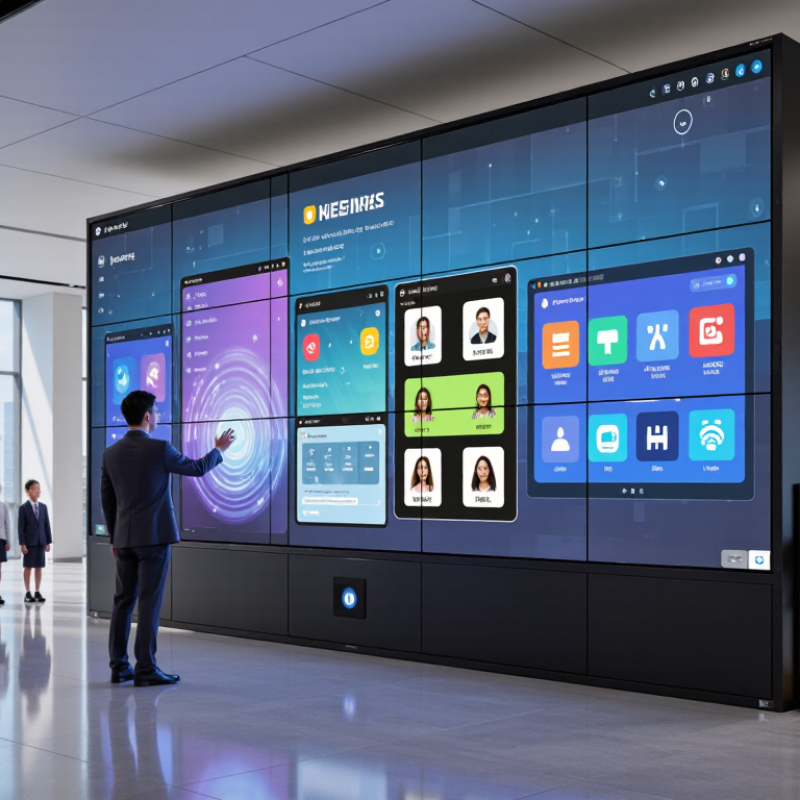
A touch screen LED wall is a large direct-view LED display with an interactive sensing system. Unlike a standard LED wall, it detects taps, swipes, and other contact points across a broad surface. The display uses tiny light-emitting diodes to create bright images, while infrared sensors, capacitive technology, or an external touch frame tracks user movement. It is not simply a giant television. It is a visual communication surface.

In real installations, users can explore maps, control presentations, select products, or operate training simulations. The experience feels immediate when touch latency stays low. Screen size, pixel pitch, brightness, and viewing distance all affect usability. A fine pixel pitch produces cleaner close-up images, but it usually increases cost. Bright venues may need stronger output, although excessive brightness can cause eye strain. Check that the control system supports the required software before purchasing.

Maintenance deserves equal attention. Dust, accidental pressure, and uneven calibration can reduce touch accuracy over time. A protective surface may improve durability, but it can also create reflections. This trade-off is easy to overlook. Ask for measured response time, touch-point capacity, operating temperature, and service procedures. In my experience, impressive demonstrations can hide weak everyday performance. Test the wall with actual content, different hand sizes, and bright ambient lighting before approving the final specification.

How Touch Screen LED Walls Work

2026 Top Touch Screen LED Wall Buying Guide: How Touch Screen LED Walls Work

A touch screen LED wall combines two systems: an LED display and a touch-detection layer. The LED modules create images through thousands of light-emitting diodes. An infrared frame usually detects touch by sensing interrupted light beams across the screen. The controller then converts that interruption into X and Y coordinates. It sends the coordinates to the media system through USB or another control interface. The wall responds like a giant monitor, but its size makes calibration more demanding.

According to Grand View Research, the global LED display market was valued at approximately USD 7.62 billion in 2023. The report also projects an 8.1% compound annual growth rate from 2024 to 2030. This growth supports wider adoption in classrooms, control rooms, showrooms, and public venues. However, market growth does not guarantee a good installation. Pixel pitch, brightness, refresh rate, touch latency, and viewing distance must match the room. A fine pixel pitch may look sharp, but it can increase cost and maintenance.

MarketsandMarkets reports continued expansion in interactive display demand, driven by collaboration and digital learning. In practical testing, users notice delay quickly when writing with a stylus. A stable 10-point touch system is useful, though more touch points are not always better. Calibration can drift after module replacement. That part is easy to underestimate. Buyers should request measured latency, brightness after calibration, and service procedures, not only impressive showroom demonstrations.

Key Specifications and Interactive Features

2026 Top Touch Screen LED Wall Buying Guide: Key Specifications and Interactive Features

A touch screen LED wall should feel responsive before it looks impressive. During a practical demonstration, press buttons, drag images, and write across the entire display. A noticeable delay can disrupt teaching, retail presentations, and control-room work. Aim for touch latency below 20 milliseconds, with accurate multi-touch tracking for at least 20 contact points.

Pixel pitch affects viewing distance and image clarity. For close indoor viewing, a pitch between 1.2 and 2.5 millimeters usually produces cleaner text and smoother graphics. Brightness should remain adjustable, not permanently intense. Around 800 to 1,500 nits may suit many indoor spaces, while automatic dimming can reduce eye strain. Check refresh rate, grayscale performance, viewing angle, and color consistency across the wall.

Interactive features need practical testing. Look for palm rejection, gesture recognition, annotation tools, and support for common presentation formats. Wireless casting is useful, but wired connections may provide steadier performance during crowded events. Protective front surfaces also matter in schools and public areas. Dust resistance helps, though it does not remove the need for maintenance.

Do not trust specifications alone. Ask for a live demonstration.

A small flaw may remain.

Touch accuracy can weaken near panel edges, especially after installation. I would test calibration again after mounting, because real walls are rarely perfectly aligned. Confirm service access, replacement procedures, software updates, and data protection settings before purchase. A lower price may hide slower support or difficult repairs.

2026 Top Touch Screen LED Wall Buying Guide? - Key Specifications and Interactive Features

Configuration Tier Recommended Use Pixel Pitch Typical Cabinet Size Brightness Refresh Rate Touch Technology Multi-Touch Support Viewing Angle Ingress Protection Typical Power Consumption Key Buying Consideration
Fine-Pitch Indoor
Best for close viewing
Control rooms, corporate presentations, museums, premium classrooms, and retail experiences 0.9–1.5 mm 600 × 337.5 mm or 640 × 480 mm 600–1,200 nits 3,840–7,680 Hz Infrared frame, optical touch overlay, or projected-capacitive overlay 10–40 touch points, depending on the overlay and operating system Approximately 160° horizontal and vertical Usually IP20 for indoor installations Approximately 250–600 W/m² during typical operation Choose the smallest practical pixel pitch when viewers will stand within a few meters of the wall
Standard Indoor
Best all-round option
Meeting rooms, education, visitor centers, digital signage, and interactive showrooms 1.5–2.5 mm 500 × 500 mm or 640 × 480 mm 800–1,500 nits 3,840–7,680 Hz Infrared touch frame or optical touch overlay 10–32 touch points Approximately 140°–160° horizontal and vertical Usually IP20 for indoor installations Approximately 300–700 W/m² during typical operation Balance pixel density, touch accuracy, service access, and total cost of ownership
Large-Format Indoor
Best for large audiences
Auditoriums, lecture halls, broadcast studios, sports venues, and immersive installations 2.5–4.0 mm 640 × 640 mm or 960 × 960 mm 1,000–2,000 nits 3,840–7,680 Hz Touch frame, camera-based tracking, or interactive sensor system Up to 10–20 tracked interaction points, subject to the control system Approximately 140°–160° horizontal and vertical Usually IP20 indoors; higher protection requires a dedicated enclosure Approximately 350–800 W/m² during typical operation Prioritize viewing distance, structural loading, acoustic performance, and content-processing capacity
Semi-Outdoor
Best for sheltered areas
Covered entrances, transit interiors, event foyers, outdoor retail areas, and protected public spaces 2.5–6.0 mm 500 × 500 mm or 500 × 1,000 mm 2,500–5,000 nits 3,840–7,680 Hz Weather-protected infrared frame or external interactive sensor Typically 1–20 touch or tracked interaction points Approximately 140°–160° horizontal and vertical Commonly IP65 on the front and IP54 or higher on the rear Approximately 450–1,000 W/m² during typical operation Confirm sunlight visibility, drainage, temperature control, and protection for the touch interface
Outdoor High-Brightness
Best for direct daylight
Outdoor plazas, stadiums, roadside advertising, public information displays, and festivals 3.9–10.0 mm 960 × 960 mm or 1,000 × 1,000 mm 5,000–10,000 nits 3,840–7,680 Hz Protected touch frame, radar sensing, camera vision, or gesture-recognition system Usually 1–10 tracked interaction points; direct finger touch may require a protected kiosk design Approximately 120°–160° horizontal and vertical Typically IP65 front and IP54–IP65 rear, depending on cabinet design Approximately 600–1,200 W/m² during typical operation Check viewing distance, wind load, thermal management, weather sealing, and local installation regulations
Interactive Kiosk Wall
Best for direct user input
Wayfinding, self-service, product configuration, gaming, training, and public engagement 1.5–4.0 mm Custom modular configuration 800–3,000 nits 3,840–7,680 Hz Projected-capacitive, infrared, optical, or force-sensitive touch system 10–40 touch points, with accuracy determined by the touch layer and calibration Approximately 140°–170° horizontal and vertical IP20 indoors; IP54–IP65 when designed as a protected public-facing enclosure Approximately 300–900 W/m² during typical operation Specify touch-glove compatibility, impact resistance, accessibility height, latency, and cleaning requirements
Reference note: Values are representative specification ranges for LED video walls and interactive installations available in the 2026 market. Actual performance depends on pixel design, cabinet construction, ambient light, content brightness, touch-overlay technology, controller settings, ventilation, and installation conditions.

Applications, Installation, and Maintenance

2026 Top Touch Screen LED Wall Buying Guide

Applications, Installation, and Maintenance

Touch screen LED walls are moving beyond showrooms. They now support classrooms, control rooms, museums, retail displays, and corporate experience centers. Grand View Research estimates the global LED display market will continue expanding through 2030, driven partly by interactive applications. Choose the wall for its task, not only its pixel pitch. A museum may need quiet operation and close-range clarity. A control room needs reliable touch accuracy and low glare. A crowded retail floor needs strong brightness and impact resistance.

Installation begins with the room. Measure viewing distance, wall strength, power capacity, and service access. A 2.5-millimeter pixel pitch can suit close viewing, but it may waste budget in a large hall. Keep ventilation paths open. Leave rear or front service clearance. Integrators should test touch response across corners, seams, and bright areas before final handover. AVIXA’s industry outlook places professional audiovisual revenue above 300 billion dollars globally, showing the scale of installed AV systems. Yet installation quality still decides daily performance.

Maintenance is practical, not glamorous. Inspect modules, cables, receiving cards, and cooling fans monthly. Clean surfaces with approved materials and minimal liquid. Keep a spare module set onsite. Record brightness, color uniformity, and touch latency after commissioning. A 2024 report from MarketsandMarkets identifies interactive displays as a growing commercial technology segment, but growth does not remove maintenance risks. Dust accumulates. Calibration drifts. Firmware updates can create unexpected problems. A perfect wall is unrealistic; a documented, tested wall is far more dependable.

How to Choose the Best Touch Screen LED Wall in 2026

Choosing the Best Touch Screen LED Wall in 2026

Selecting a touch screen LED wall starts with the viewing environment, not the screen size. Measure the room, audience distance, ambient light, and available wall structure. A fine pixel pitch creates sharper close-up images, but it usually increases cost. For many indoor spaces, a moderate pitch may deliver better value than maximum resolution. Test content from two meters away. Tiny text reveals weak image processing quickly.

Touch performance deserves equal attention. Look for low response latency, accurate multi-touch tracking, and a surface that resists fingerprints. Capacitive systems feel natural for maps, presentations, and interactive training. Infrared systems can support larger formats and gloved users. Ask for a live demonstration, not only a specification sheet. Check whether touch works across the entire wall, including seams and corners. This detail is often overlooked.

Brightness should match the room. Excessive brightness can cause eye strain in dark spaces, while weak output fades near windows. Confirm viewing angles, refresh rate, heat management, and front-access maintenance before ordering. A reliable control system should accept common video sources and allow simple content updates. Accessibility matters too; touch targets need enough space for different users. I would also inspect cable routing and emergency power behavior on site. Some installations look impressive but feel slow after daily use. That is a useful warning. Leave room for calibration, software updates, and a few imperfect first tests.

FAQS

How does a touch screen LED wall detect touch?

LED modules create images with thousands of light-emitting diodes. An infrared frame detects interrupted light beams. The controller converts interruptions into X and Y coordinates. It sends those coordinates through USB or another control interface. Calibration matters.

What should I measure before installing a touch screen LED wall?

Measure viewing distance, wall strength, power capacity, ambient light, and service access. Check rear or front clearance for repairs. Keep ventilation paths open. Do not trust room size alone.

How does pixel pitch affect the buying decision?

Smaller pixel pitch produces sharper close-range images. It usually increases purchase and maintenance costs. A 2.5-millimeter pitch may suit close viewing. A large hall may need a more moderate pitch.

How can I test touch performance properly?

Test writing with a stylus, map navigation, and multi-touch gestures. Check the center, corners, seams, and bright areas. Request measured latency, not only a showroom demonstration. Slow writing feels frustrating.

Should I choose infrared or capacitive touch technology?

Infrared systems suit large formats and can work with gloved users. Capacitive systems often feel natural for maps and presentations. The better choice depends on size, users, and room conditions. Neither system is perfect.

How bright should the LED wall be?

Brightness should match the room’s lighting. Excessive output can strain eyes in dark spaces. Weak output may fade near windows. Test real content under actual lighting, not only empty color screens.

What maintenance does a touch screen LED wall require?

Inspect modules, cables, receiving cards, and cooling fans each month. Clean surfaces with approved materials and minimal liquid. Keep spare modules onsite. Record brightness, color uniformity, and touch latency. Dust accumulates.

What problems can appear after installation?

Calibration may drift after module replacement. Firmware updates can create unexpected behavior. Cable faults and blocked ventilation may reduce reliability. Leave time for software updates and imperfect first tests. A flawless wall is unrealistic.

Conclusion

A Touch Screen Led Wall combines the visual impact of a large LED display with interactive touch control, allowing users to explore content, access information, and collaborate directly on the screen. This guide explains how these systems use LED modules, touch-sensing technology, processing systems, and software to deliver responsive, high-brightness performance. It also reviews important specifications such as pixel pitch, resolution, brightness, refresh rate, viewing distance, touch accuracy, durability, and connectivity.

The guide further examines practical applications in education, business, exhibitions, public spaces, entertainment, and control environments. It covers installation planning, structural requirements, calibration, cleaning, ventilation, software updates, and routine maintenance. Finally, it provides a clear framework for choosing the best Touch Screen Led Wall in 2026 by comparing room size, audience needs, interactive functions, operating conditions, energy use, service support, system compatibility, and overall budget.


Ethan

Ethan

Ethan is a seasoned marketing professional with a deep expertise in our company's innovative product line. With a passion for sharing knowledge and insights, he takes the lead in regularly updating our corporate blog, where he explores industry trends, product features, and effective marketing......